SaaS · Multi-Tenant · .NET 10 · Blazor Server · VSA

Blazor CRM Multi-Tenant

SaaS CRM with Multi-Tenancy — Complete Source Code

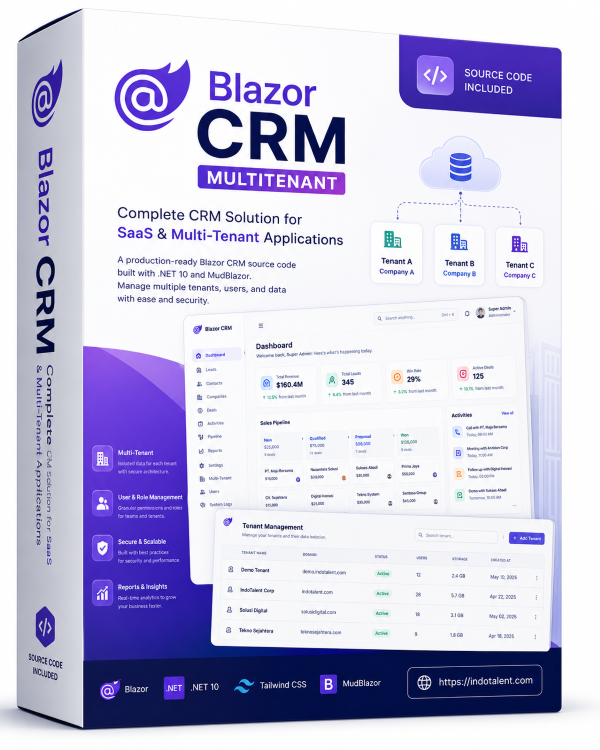
A production-ready multi-tenant SaaS CRM application to serve multiple organizations from a single deployment. Built with .NET 10, ASP.NET Core, Blazor Server, MudBlazor, and Vertical Slice Architecture. Complete tenant isolation, shared database with global query filters.

$21 $49
Instant Download
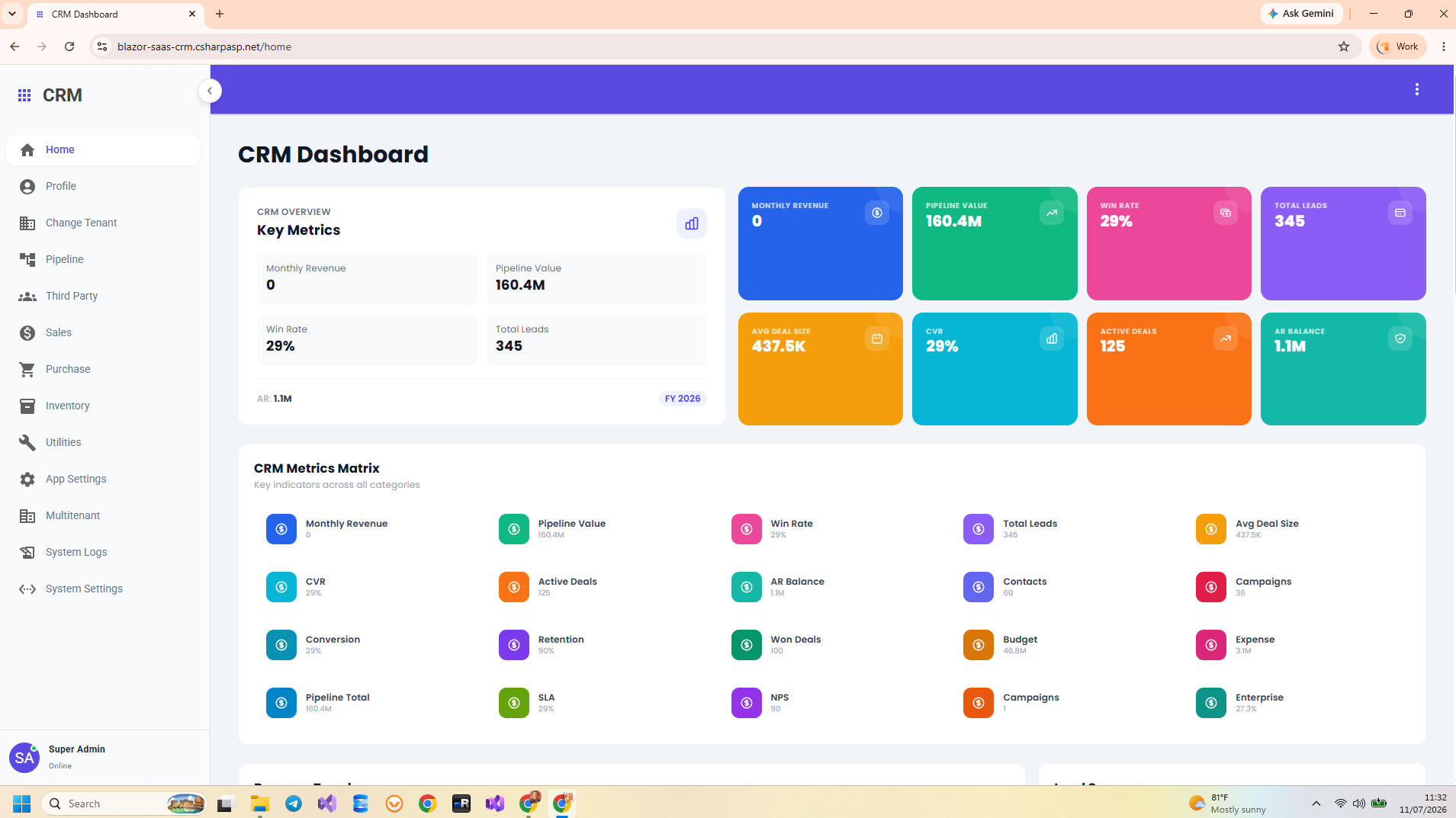
Blazor CRM Multi-Tenant Dashboard — SaaS CRM with Multi-Tenancy .NET 10 Blazor Server
The Problem

Business Problems Solved by Blazor CRM Multi-Tenant

SaaS businesses need to serve multiple organizations from one deployment — but building secure tenant isolation, managing separate customer data, and scaling multi-tenant infrastructure is complex and expensive.

Serving Multiple Organizations from One Instance

Building separate CRM instances for each client is prohibitively expensive in infrastructure and maintenance. Blazor CRM Multi-Tenant allows multiple organizations to share one database and one deployment with complete data isolation via TenantId global query filters. Add new tenants in seconds without provisioning new servers.

Data Leakage Between Tenants

Without proper tenant isolation, customer data can leak between organizations — a catastrophic security and compliance failure. EF Core global query filters automatically scope every query to the current tenant. Tenant A's contacts, deals, and activities are completely invisible to Tenant B. Zero data leakage by design.

Scattered Customer Data Across Tenants

Each tenant needs their own contacts, companies, and deals — but managing this separation manually is error-prone. Blazor CRM Multi-Tenant centralizes all tenant data with automatic scoping. Every API call, every database query, every UI interaction is tenant-aware.

No Tenant-Aware Sales Pipeline

Each tenant needs their own sales pipeline and reporting — but building per-tenant analytics is complex. Blazor CRM Multi-Tenant provides fully tenant-aware dashboards with KPI cards, pipeline charts, and win/loss rates scoped to each organization.

Business Features

What's Included in Blazor CRM Multi-Tenant

Complete end-to-end business features with multi-tenant isolation — every module is a complete vertical slice with endpoint, handler, validator, and EF Core queries.

Profile

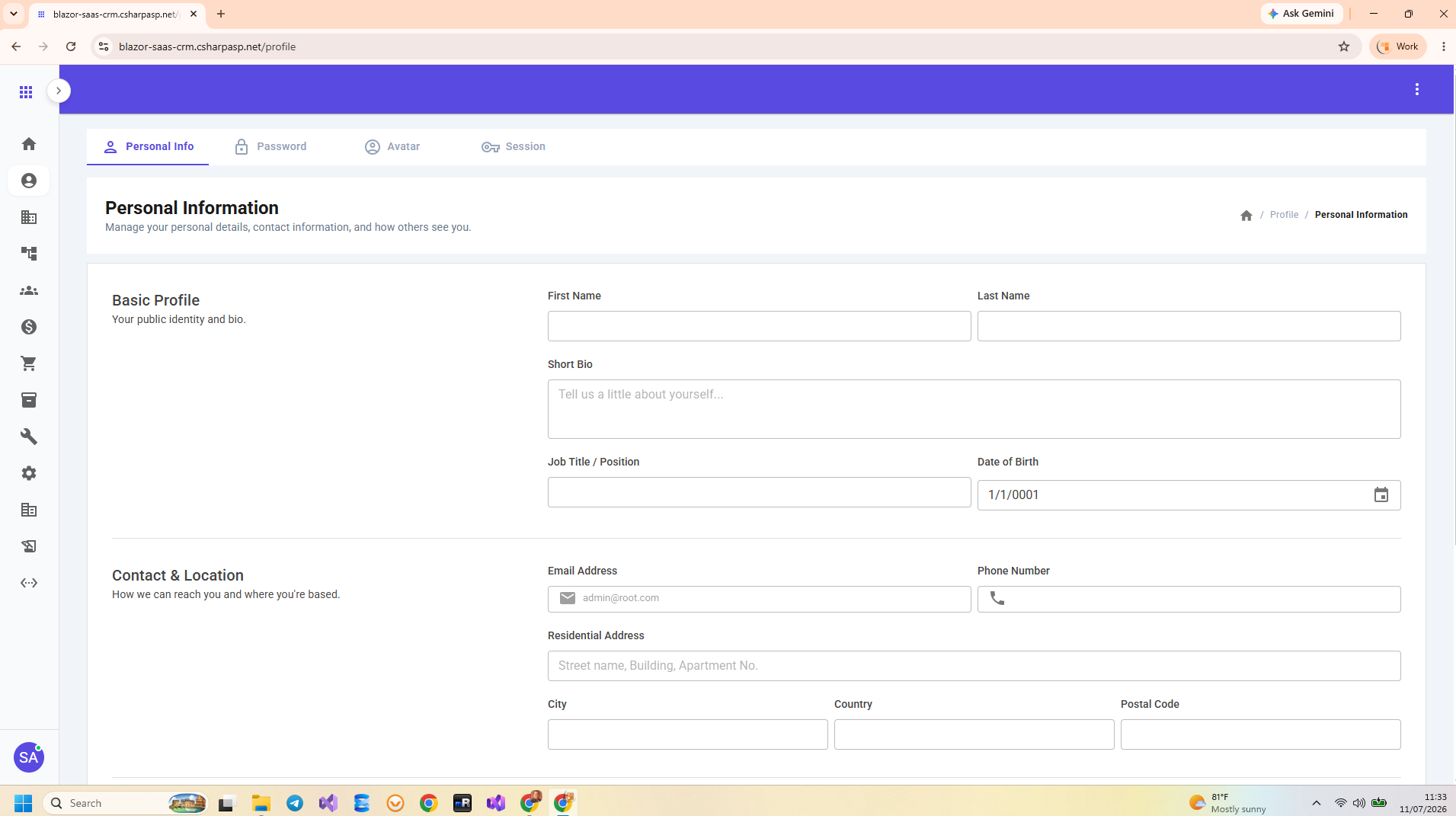
Personal Info, Password, Avatar, Session

Pipeline

Campaign, Budget, Expense, Lead, Lead Contacts, Lead Activities, Sales Team, Sales Representative

Third Party

Customer Group, Customer Category, Customer, Customer Contact, Vendor Group, Vendor Category, Vendor, Vendor Contact

Sales

Quotation, Sales Order, Delivery Order, Sales Return, Invoice, Credit Note, Payment, Sales Report, Delivery Report, Return Report, Invoice Report, Payment Report

Purchase

Requisition, Purchase Order, Goods Receive, Purchase Return, Bill, Debit Note, Payment, Purchase Report, Receive Report, Return Report, Bill Report, Payment Report

Inventory

Unit Measure, Product Group, Product, Warehouse, Transfer Out, Transfer In, Positive/Negative Adjustment, Scrapping, Stock Count, Transaction Report, Stock Report, Movement Report

Utilities

Booking Group, Booking Resource, Booking Manager, Scheduler, Program Resource, Program Manager, To-Do List

System Logs

Database log, File log

App Settings

Users, Currencies, Auto Number

System Settings

full inspection mode for appsettings.json
Technology

Technologies Used

Blazor CRM Multi-Tenant is built on the modern .NET ecosystem with production-grade libraries and tools.

.NET 10 ASP.NET Core 10 Blazor Server MudBlazor ASP.NET Core Minimal APIs Entity Framework Core 10 MediatR + CQRS FluentValidation Swagger / OpenAPI SignalR
LayerTechnology
Framework.NET 10
Web FrameworkASP.NET Core 10
UI RenderingBlazor Server (SignalR-based real-time UI)
UI Component LibraryMudBlazor (Material Design components for Blazor)
Architecture PatternVertical Slice Architecture (VSA) + CQRS via MediatR
Multi-TenancyEF Core Global Query Filters with TenantId isolation
API StyleASP.NET Core Minimal APIs with Swagger/OpenAPI
Data AccessEntity Framework Core 10 (Code-First, Migrations, Compiled Queries)
DatabaseSQL Server (fully tested) / PostgreSQL (scaffolded)
ValidationFluentValidation
AuthenticationASP.NET Core Identity + JWT Bearer Token
AuthorizationRole-Based (RBAC) + Policy-Based Authorization
Real-TimeSignalR (built into Blazor Server)
Architecture

Application Architecture

Blazor CRM Multi-Tenant uses Vertical Slice Architecture (VSA) with CQRS via MediatR and EF Core global query filters for complete tenant isolation.

Vertical Slice Architecture

Each feature (Create Tenant, Get Contact, Update Deal, etc.) lives in its own folder with its Minimal API endpoint, MediatR handler, FluentValidation validator, and EF Core queries all in one place. Zero coupling between features. Every handler automatically applies tenant filtering.

Folder structure: Features/Tenants/CreateTenant/ contains endpoint, handler, validator, DTO — everything for that single operation with tenant awareness built in.

Multi-Tenant Isolation

Tenant isolation is implemented at the EF Core level using global query filters. Every entity has a TenantId property, and EF Core automatically applies .Where(e => e.TenantId == currentTenantId) to all queries. Zero data leakage by design — no developer can accidentally query across tenants.

Tenant resolution: Determined from the authenticated user's claims, applied to DbContext at request scope.

Single-Project Monolith

The entire multi-tenant application — Blazor UI, REST API, tenant management, business logic, data access, and authentication — lives in one .NET 10 project. No distributed complexity, no microservice overhead. Single F5 to run. Deploy as one unit to Azure, IIS, or Docker. Perfect for SaaS startups that value velocity.

Project Structure Overview

BlazorCRMMultiTenant/
├── Features/                    # Vertical Slices (one folder per feature)
│   ├── Tenants/
│   │   ├── CreateTenant/        # Endpoint + Handler + Validator + DTO
│   │   ├── GetTenantList/
│   │   └── UpdateTenant/
│   ├── Contacts/
│   ├── Companies/
│   ├── Deals/
│   ├── Leads/
│   ├── Activities/
│   └── Dashboard/
├── Infrastructure/              # Cross-cutting: Auth, Audit, Tenant Resolution, EF Core
├── Migrations/                  # EF Core migrations
├── SeedData/                    # Initial seed data (demo tenants, users, sample data)
├── Components/                  # Shared Blazor components
├── wwwroot/                     # Static assets
└── Program.cs                   # Single entry point with tenant-aware configuration
Security

Security & Authorization

Security is baked into the architecture — multi-tenant isolation, Identity, JWT, RBAC, and audit trail.

Blazor CRM Multi-Tenant ships with tenant-aware authentication and authorization. ASP.NET Core Identity manages users per tenant with secure password hashing. JWT authentication protects all REST API endpoints, while cookie-based authentication handles Blazor Server UI. Both schemes run simultaneously and are tenant-scoped.

Role-based access control (RBAC) is fully tenant-scoped: each tenant has their own Admin, Manager, and User roles. Policy-based authorization provides fine-grained control. EF Core global query filters guarantee that Tenant A's data never leaks to Tenant B — enforced at the database level.

With Blazor Server, source code, database credentials, and tenant resolution logic never leave the server. All data access happens server-side via SignalR.

Security Features

  • Tenant Isolation — EF Core global query filters prevent data leakage between tenants
  • ASP.NET Core Identity — User registration, login, password hashing, password reset per tenant
  • JWT + Cookie Dual Auth — Cookies for Blazor UI, JWT for REST API, both tenant-scoped
  • Role-Based Access Control — Tenant-scoped Admin, Manager, User roles
  • Policy-Based Authorization — Declarative policies for fine-grained feature access
  • Audit Trail — Every create/update/delete logged with tenant, user ID, and timestamp
  • Server-Side Code — Source code, DB credentials, and tenant logic never leave the server
Integration

REST API & Integration

Blazor CRM Multi-Tenant exposes a complete tenant-aware REST Web API — ready for mobile apps, third-party integrations, and external systems.

API Endpoints (Tenant-Aware)

Every feature exposes REST endpoints via ASP.NET Core Minimal APIs. All endpoints are JWT-protected and automatically scoped to the authenticated user's tenant.

GET/api/tenants— List tenants (admin only)
GET/api/contacts— List contacts (tenant-scoped)
GET/api/contacts/{id}— Get contact by ID (tenant-scoped)
POST/api/contacts— Create new contact (auto-assigned to tenant)
PUT/api/contacts/{id}— Update contact (tenant-scoped)
DELETE/api/contacts/{id}— Delete contact (tenant-scoped)

Same tenant-aware pattern applies to all entities: Companies, Deals, Leads, Activities, and Dashboard aggregations.

API Features

  • Swagger/OpenAPI Docs — Interactive API documentation at /swagger
  • JWT Authentication — All endpoints require Bearer token with tenant claim
  • Automatic Tenant Scoping — API returns only data belonging to authenticated user's tenant
  • FluentValidation — Input validation on all endpoints
  • Pagination & Filtering — Built-in query parameters for list endpoints
  • Mobile-Ready — Use the API to build mobile apps or integrate with external systems
Database & Deployment

Database & Deployment

EF Core migrations, seed data with demo tenants, and flexible deployment options — ready to run in under 60 seconds.

Database

  • SQL Server — Fully tested with EF Core migrations and seed data included
  • PostgreSQL — Scaffolded in codebase (provider + connection string config ready, not fully tested)
  • EF Core Migrations — Code-first approach with full migration history
  • Seed Data — Demo tenants with full user sets (admin, manager, user), sample contacts, companies, deals
  • Compiled Queries — Performance-optimized EF Core queries with tenant filtering

Deployment Options

  • Azure App Service — Deploy directly from Visual Studio or GitHub Actions
  • IIS (Windows Server) — Standard ASP.NET Core publish to IIS
  • Docker — Containerize and deploy anywhere Docker runs
  • Windows / Linux / macOS — .NET 10 runs everywhere
  • Single Project — No distributed complexity. One publish, one deploy, serve all tenants
  • Setup Time: Clone repo → set connection string → F5 → serving multiple tenants in under 60 seconds

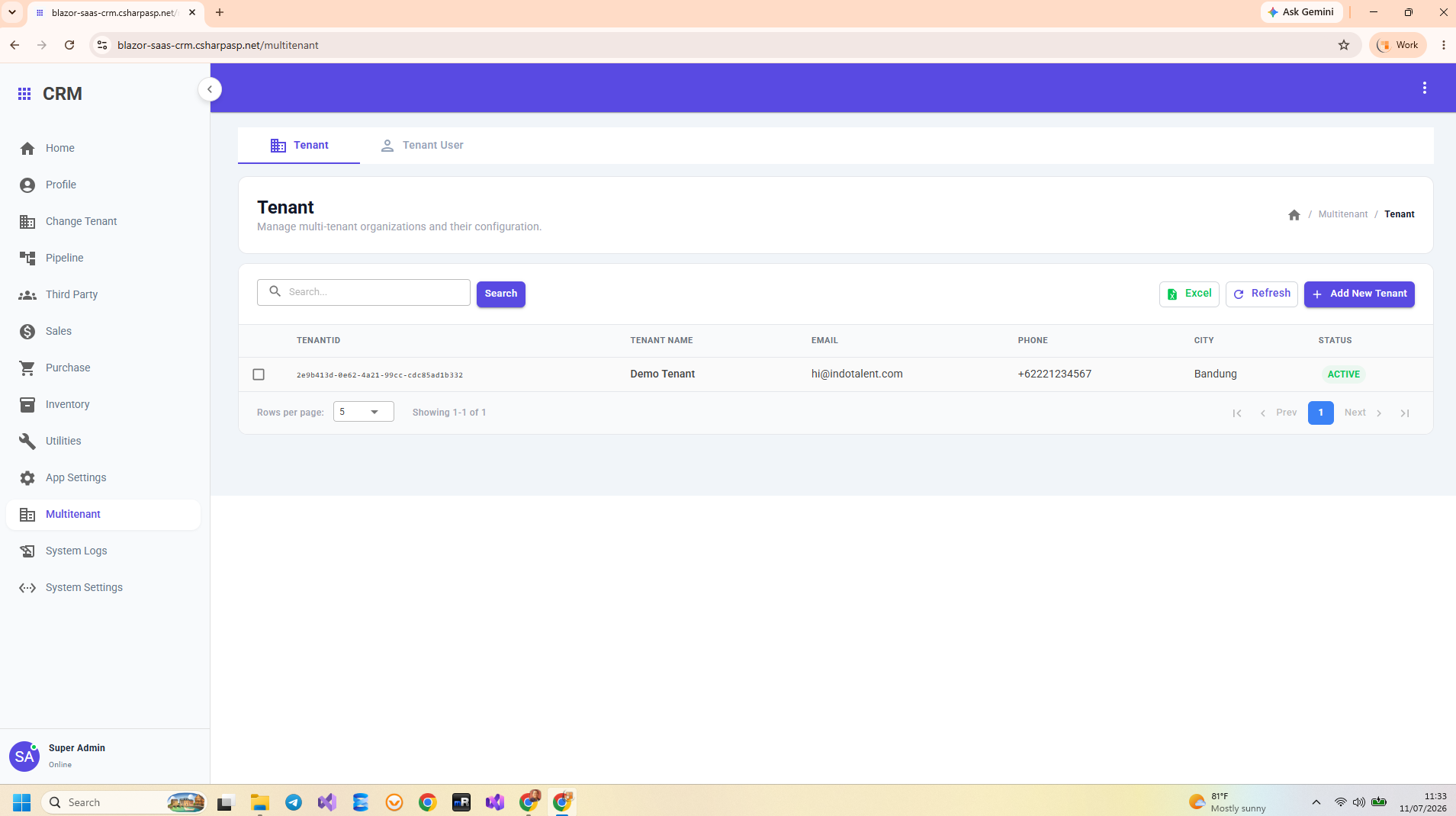
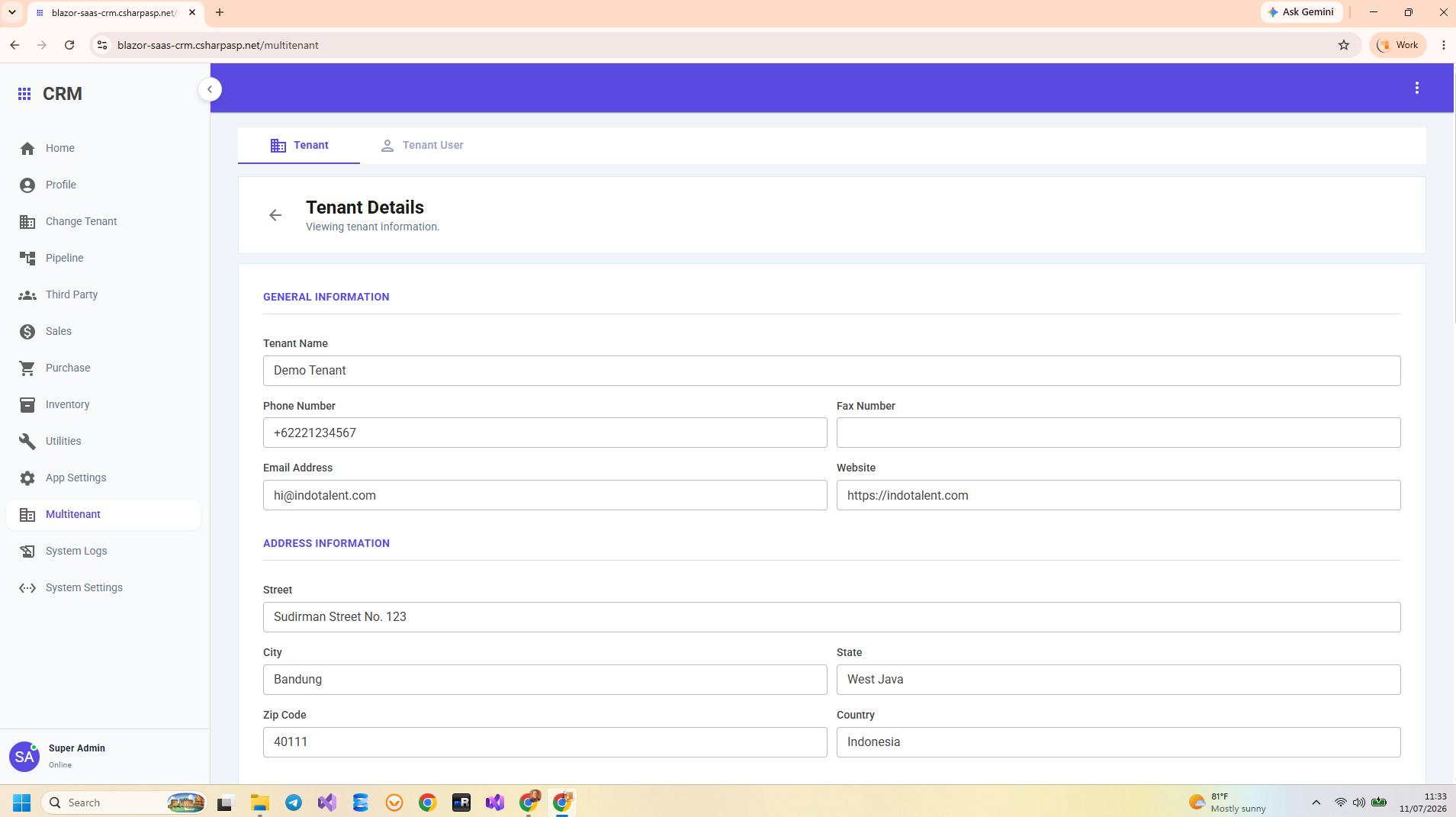
Application Screenshots

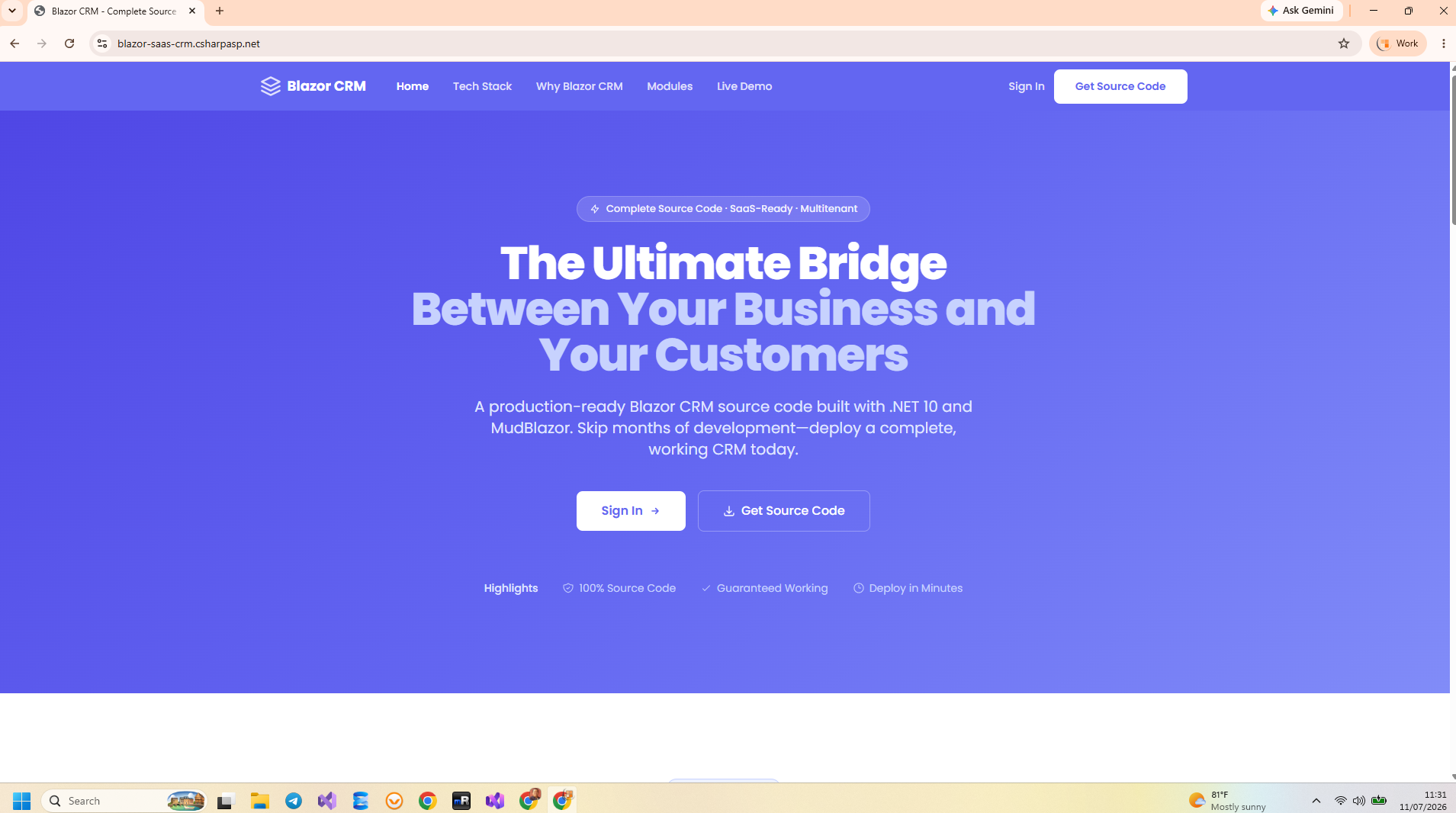
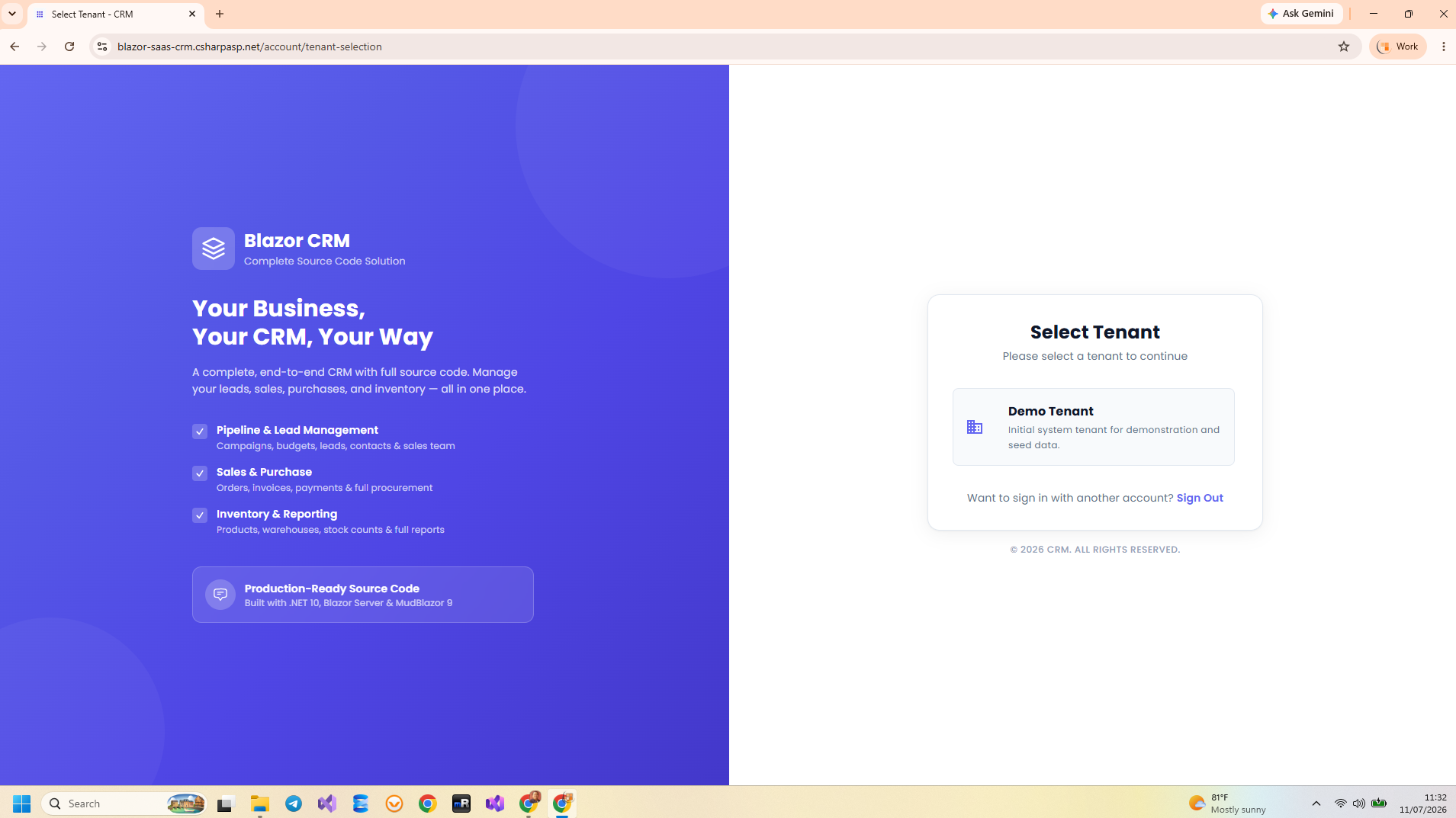
Explore the Blazor CRM Multi-Tenant interface — tenant management, dashboards, contact management, sales pipeline, and more.

Blazor CRM Multi-Tenant Dashboard Overview Blazor CRM Multi-Tenant Contact Management Blazor CRM Multi-Tenant Tenant Management Blazor CRM Multi-Tenant Deal Tracking Blazor CRM Multi-Tenant Sales Pipeline Blazor CRM Multi-Tenant Reporting & Analytics Blazor CRM Multi-Tenant Data Management

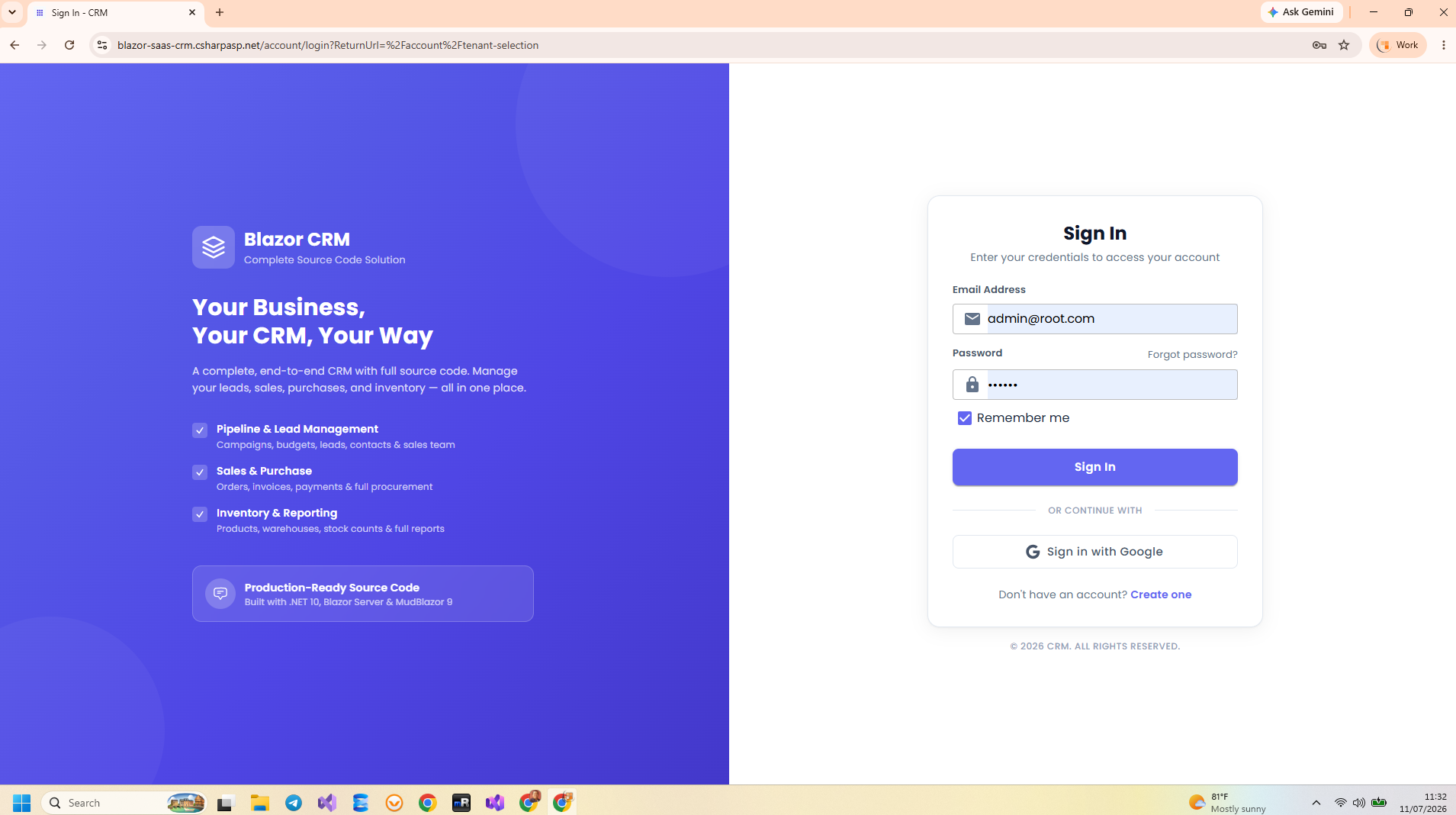
Try the Live Demo

Test every feature — including multi-tenant isolation — before you buy. No registration required.

URL: https://blazor-saas-crm.csharpasp.net/

Email: admin@root.com

Password: 123456

Get Blazor CRM Multi-Tenant Source Code

Complete, unrestricted C# source code with full multi-tenant SaaS architecture. Single .NET 10 project. Clone, F5, serve multiple tenants.

$21 $49
Instant Download
Buy Now — $21 via Lemon Squeezy

Secure checkout via Lemon Squeezy. Lifetime access. No subscription.

FAQ

Frequently Asked Questions

You get the complete, unrestricted C# source code of the entire Blazor CRM Multi-Tenant application. A single .NET 10 project with all features, multi-tenant architecture with EF Core global query filters, Vertical Slice Architecture, EF Core migrations, seed data with demo tenants, and full configuration. Clone, set connection string, press F5, and serve multiple tenants immediately.
Multi-tenancy uses EF Core global query filters with a TenantId on every entity. When a user authenticates, their tenant is resolved from claims. EF Core automatically applies .Where(e => e.TenantId == currentTenantId) to all queries. Zero data leakage between tenants. Each tenant has isolated users, contacts, deals, and dashboards — all in one database.
Absolutely! You receive the complete source code. You can rebrand, add custom features, modify the multi-tenant architecture, and deploy as your own SaaS product. Each license covers one end product per client project. See our License page.
SQL Server is fully tested and ready to use. PostgreSQL support is scaffolded in the codebase — the EF Core provider and connection string configuration are set up — but has not been fully tested yet.
Absolutely! The code is clean, well-structured, and self-documenting. Beginners can study real multi-tenant SaaS patterns, EF Core global query filters, authentication flows, VSA feature organization, and REST API design — all in a single project.
Due to the digital nature of source code, we have a strict no-refund policy. That's why we provide a fully functional live demo with multi-tenant testing — test every feature before you buy. Full policy here.