
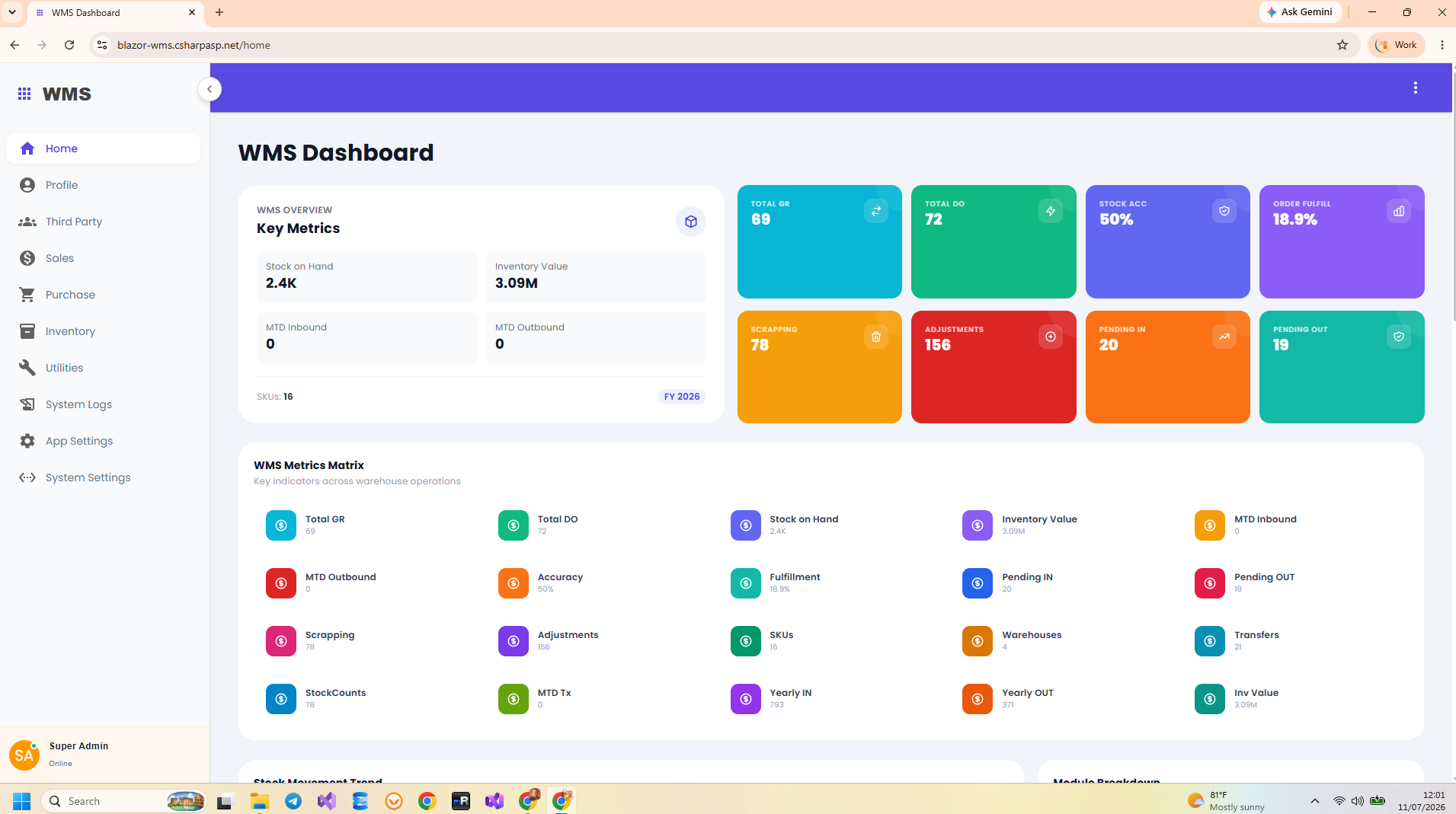
Look beyond a product table and dashboard
Inventory management system source code is most useful when it provides the workflow behind a balance: receipts, issues, transfers, corrections, and the reports that explain them. Attractive screens can help users work, but a buyer also needs to understand how those actions are implemented and where customer-specific changes belong.
The Blazor WMS Source Code product page is the central place to review and purchase Indotalent’s WMS. This article evaluates the source project’s structure and the practical questions to ask before adapting it. It does not reproduce the product page or redefine its license terms.
What the source project lets you inspect
| Area | Concrete source material | Why it matters |
|---|---|---|
| User interface | Blazor components and MudBlazor forms | Change operational screens and data-entry behavior. |
| Business operations | Feature-local MediatR commands and queries | Locate the use case behind a user action. |
| Integrations | Minimal API endpoints and response models | Understand routes and payloads before connecting another system. |
| Database | Entities, AppDbContext, and EF configurations | Review relationships and plan schema changes. |
| Inventory calculation | InventoryTransactionHelper and report handlers | Trace how movement direction and confirmed stock are calculated. |
The inspected project targets .NET 10 and references EF Core, MudBlazor, MediatR, and other application libraries. Receiving the application source does not remove the need to review the terms and configuration of its third-party dependencies. Keep purchase and licensing questions tied to the product page and applicable package terms.
Evaluate one complete stock scenario
Choose a product and warehouse, record a receipt, and trace the transaction associated with it. Check what happens while it is draft and when it becomes confirmed. Then follow an outbound operation and reconcile the warehouse’s balance. In this source, stock reporting filters confirmed InventoryTransaction rows and groups by warehouse and product.
This exercise is more revealing than counting screens. It shows whether you understand the operation’s status, movement quantity, direction, and report inclusion. The ASP.NET Core inventory guide explains a numerical example, including transfers and physical counts.
The current stock-report handler also requires Product.Physical == true and Warehouse.SystemWarehouse == false. Its displayed balances therefore concern physical products in ordinary warehouses, rather than every record with a confirmed status.
Match the existing model to the customer’s vocabulary
The core model includes Product, ProductGroup, UnitMeasure, and Warehouse. Inventory transactions reference products and warehouse roles. Purchase and sales documents provide commercial context. Compare these concepts with the buyer’s actual process before deciding the adaptation is only a branding exercise.
For example, if a customer distinguishes warehouse buildings, aisles, racks, and bins, the inspected Warehouse entity’s name, description, and system flag do not by themselves establish a complete location hierarchy. Likewise, lot tracking, serial tracking, or expiration control would need their own implementation evidence. Treat such requirements as extensions until the relevant code and workflow have been verified.
Understand the scope of a customization
- A label or screen-layout change usually starts in the Blazor components.
- A persistent product attribute crosses UI models, handlers, the entity model, and the existing database schema.
- An external connection requires verified endpoint paths, authentication, response handling, and retry behavior.
- A new movement type affects calculation rules, document status, reporting, and operational reconciliation.
The source uses vertical feature folders, which gives an implementer a practical place to start. Shared infrastructure still exists: AppDbContext, response helpers, authentication, and inventory calculation are used across features. A change to shared behavior requires broader review than a local form adjustment.
Review startup and operational fit
Database startup in the inspected version uses EnsureCreated() followed by seeding for selected relational providers. Plan how an installation with retained data will evolve before making schema changes. Package references for multiple providers are not a substitute for testing the intended database with the customer’s scenarios.
The Blazor UI uses Interactive Server components. Include network connectivity and deployment resources in the evaluation, especially for users working away from a stable office connection. Consider the current product a codebase to inspect and adapt; avoid assuming offline scanning or every enterprise warehouse integration is already present.
Use the demo for interaction, and source for implementation
The WMS demo landing page introduces the product and links to the live demonstration. Use it to evaluate the interface and workflow vocabulary. For technical questions about types, routes, stock totals, or persistence, the corresponding source files are the stronger evidence.
A sensible buying decision ends with a short fit assessment: the workflows you can reuse, the changes you must implement, and the scenarios you will verify. Review the complete Blazor WMS source-code offer when you are ready to move from that assessment to ownership of the application code.
